
Mapping standard design phases to your financial engine
To run a successful firm, your billing software must speak the same language as your contracts. If your contract is structured around the standard five phases of architectural service, your project management tool must match that structure exactly. This means setting up distinct fee buckets for schematic design, design development, construction documents, bidding or negotiation, and construction administration. Each phase requires a different billing approach. For example, your early phases might run on a fixed fee, while construction administration is billed hourly. If your system cannot handle these shifting fee structures within a single project, your invoicing becomes a nightmare of manual calculations. By utilizing project accounting features, you can assign unique billing rules to each phase. This ensures that when a team member logs time, the system automatically applies the correct billing rate and counts it toward the appropriate phase limit. You get an accurate, real-time view of your budget consumption without having to cross-reference multiple spreadsheets.Is your phase structure too granular for your team?
It is tempting to break every phase down into dozens of tiny tasks. You might want to track separate lines for site analysis, zoning reviews, and initial sketching within your early design phase. This level of detail sounds great on paper, but it rarely works in practice. When you make your time tracking too complex, your team stops being accurate. They will not spend ten minutes trying to figure out which of the fifteen sub-tasks their work falls under. Instead, they will guess, or worse, dump all their hours into a single generic bucket. Keep your phase structure clean: track the major phases defined in your contract, and use simple, broad task categories within those phases. This gives you the data you need to analyze your profitability without driving your staff crazy.
How do you handle fee allocation across multiple disciplines?
If your firm offers both architecture and interior design, your project phases can easily become muddled. These disciplines often work on different timelines and use distinct billing models. An architect might bill on a percentage of construction cost, while an interior designer might bill hourly for sourcing furniture and materials. To keep these streams clear, you need to set up parallel phase tracks within your project. Your billing engine should allow you to separate architectural services from interior design fees, even if they are part of the same overall contract. By setting up distinct phase tracks, you can monitor the health of each discipline independently, which prevents a profitable architecture phase from hiding a loss-making interior design phase.The biggest mistake a firm can make is treating a project as a single, massive budget. If you do not track your phases individually, you will not know you are over budget until it is too late to do anything about it.
How architecture firm billing software reconciles progress with budget
The main danger in project management is confusing time spent with progress made. Just because your team has burned through 80% of the design development budget does not mean the drawings are 80% complete. If you are only tracking hours, you are missing half the picture. To solve this, your system must track percent complete billing alongside actual hours logged. This requires project managers to regularly estimate the physical progress of each phase. If your manager reports that the construction documents are 50% complete, but your team has already spent 70% of the allocated fee, you have an early warning sign of a budget overrun. Modern billing tools combine these two metrics to calculate your work in progress (WIP) and show you your true financial position, allowing you to address scope creep or inefficiencies before you run out of fee.Can you run fixed-fee and hourly billing in the same phase?
Yes, and you often have to. A classic example is when a client requests major changes after a phase has been formally signed off. You might agree to handle the additional work on an hourly basis while keeping the original scope on a fixed fee. If your software cannot handle this hybrid approach, you are forced to create separate shadow projects just to track the hourly work. This creates confusion and increases the risk of double-billing or missing hours. A proper billing system allows you to add hourly add-service phases alongside your existing fixed-fee phases. This keeps all project costs in one place and makes it easy for the client to see what is covered by the base contract and what is an extra charge.What happens when a client requests an unexpected revision?
Scope creep is the silent killer of design firms. A client asks for a quick layout change during the construction documents phase, and before you know it, your team has spent twenty hours drawing new options. If you do not have a system to capture these changes, those hours are written off. When a client requests a revision that falls outside the original scope, you must document it immediately. Your billing software should allow you to flag these hours as non-billable or pending approval. This keeps your main phase budget clean while you negotiate an additional services agreement with the client. Having this data visible in your system gives you the leverage you need to have difficult fee conversations with your clients.How do you handle unbilled hours when a phase stalls?
Projects stall constantly. A client might pause a project during the schematic phase to secure financing, leaving you with weeks of completed but unbilled work. If your billing cycle only happens once a month, this unbilled time sits on your books as a liability. You need a system that makes it easy to pull up-to-the-minute reports on your unbilled hours by phase. This is your work in progress (WIP). When a project goes on hold, you should immediately invoice the client for the exact percentage of work completed to date, rather than waiting for the next scheduled billing run. Having this data visible ensures you do not carry the financing cost for your clients when their projects hit a snag.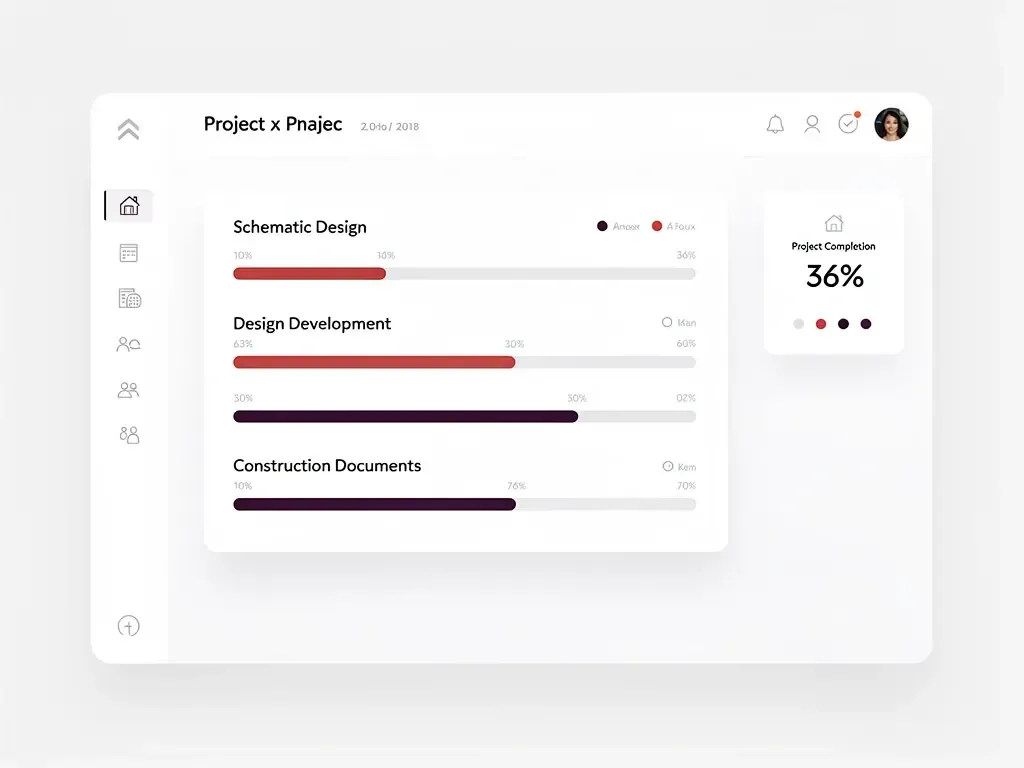
Stopping financial leaks in construction administration
The construction administration phase is notorious for destroying firm profitability. Unlike the early design phases where you control the schedule, CA is driven by the contractor, the sub-contractors, and the realities of the job site. You are responding to RFIs, reviewing submittals, and attending site meetings, often on a moment’s notice. Because CA is so unpredictable, manual tracking is bound to fail. If your team is not logging their site visits and RFI reviews immediately, those hours disappear. Your billing system must make it simple for staff to log time on-site, preferably through a mobile-friendly interface. It must also allow you to set caps on CA hours if your contract limits the number of site visits. When you can track CA hours against your budget in real time, you can quickly spot when a difficult contractor is eating up your fee and have the data to back up a request for additional services.Frequently asked questions
How do you calculate the percentage complete for a design phase?
Percentage complete is best determined by the project manager based on physical deliverables completed, such as sheets drawn or milestones met, rather than the number of hours spent. Comparing this physical percentage to your budget consumption reveals whether your phase is on track or over budget.
Should we track administrative time inside project phases?
No, administrative tasks like internal meetings, billing preparation, and general office coordination should be tracked under a separate non-billable overhead code. Keeping these hours out of your design phases ensures your project profitability data remains accurate and unpolluted.
How do we handle consultants’ fees within our phase billing?
Consultant fees, such as structural or MEP engineering, should be tracked in separate sub-phases or as distinct line items within your billing system. This allows you to monitor their progress and billings independently from your internal architectural labor fees.
Can we change a phase billing type from fixed fee to hourly mid-project?
Yes, your billing system should allow you to adjust the billing type of future phases if contract terms change. However, you should avoid changing the billing type of a phase that already has active, billed hours to prevent historical financial reporting errors.
What is the best way to handle billing for on-hold projects?
When a project is placed on hold, immediately calculate your work in progress (WIP) up to that date and issue a progress invoice. Change the project status to on-hold in your billing software to prevent team members from continuing to log hours to inactive phases.